


10 Best Video Editing Apps for iPhone and Android
The best video editing apps in 2026 are Adobe Premiere for a free, full-featured editor on iPhone and Android, CapCut for short-form social videos, VN for free editing without a watermark, LumaFusion for professional editing you buy once, InShot for quick beginner edits and iMovie for simple free editing on iPhone. KineMaster, PowerDirector, Edits by Instagram and DaVinci Resolve for iPad round out the list.
Below we compare all ten side by side, explain what each is best at, help you choose, and cover what happened to the apps on our earlier list. If you edit on a computer instead, see our guide to the best video editing software.
Video editing apps compared
| App | Platforms | Price model | Best for |
| Adobe Premiere | iPhone, iPad, Android | Free; generative AI features use credits | A free multi-track editor with clean exports |
| CapCut | iPhone, Android, desktop, web | Free; paid Pro plan | TikTok, Reels and Shorts with templates and auto captions |
| VN Video Editor | iPhone, Android, desktop | Free | Precise editing on a budget |
| LumaFusion | iPhone, iPad, Android, ChromeOS | One-time purchase; optional add-ons | Desktop-style editing on a phone or tablet |
| InShot | iPhone, Android | Free with watermark; paid Pro | Quick social edits, resizing and text |
| iMovie | iPhone, iPad, Mac | Free | Simple edits for Apple users |
| KineMaster | iPhone, Android | Free with watermark; subscription | Layered edits with a large asset library |
| PowerDirector | iPhone, Android | Free with watermark; subscription | Effects-heavy edits and stabilisation |
| Edits by Instagram | iPhone, Android | Free | Instagram Reels |
| DaVinci Resolve for iPad | iPad | Free; paid Studio upgrade | Colour grading and pro workflows on iPad |
Prices, plans and free-tier limits change often and vary by country, so check each app’s store listing before you subscribe.
The 10 best video editing apps
1. Adobe Premiere (mobile)
Adobe launched a free Premiere app for iPhone in September 2025, replacing Premiere Rush, and brought it to Android in 2026. It has a multi-track timeline, automatic captions, audio clean-up and exports without a watermark, and projects can move to Premiere Pro on the desktop. Generative AI features run on Adobe credits, and you need an Adobe account.
Best for: anyone who wants a proper editor at no cost.
2. CapCut
CapCut is the go-to editor for short-form social video, with trend templates, auto captions, text effects and a big effects library, on phones, desktop and the web. The free version covers most edits; Pro unlocks premium effects, templates and AI tools. Read the current terms if you edit client footage. For animated titles, our comparison of text animation apps covers CapCut’s text tools.
Best for: TikTok, Reels and Shorts creators.
3. VN Video Editor
VN is a free editor with a multi-track timeline, keyframes, speed curves and detailed export settings for resolution and frame rate. It feels close to CapCut in speed but is popular with people who want precise control without paying.
Best for: vloggers and talking-head creators on a budget.
4. LumaFusion
LumaFusion is the most desktop-like editor on a phone or tablet: multiple video and audio tracks, a detailed audio mixer, keyframing, colour correction and external monitor support. It is sold as a one-time purchase, with optional add-ons and a subscription for extra features, and runs on iPhone, iPad, Android and ChromeOS.
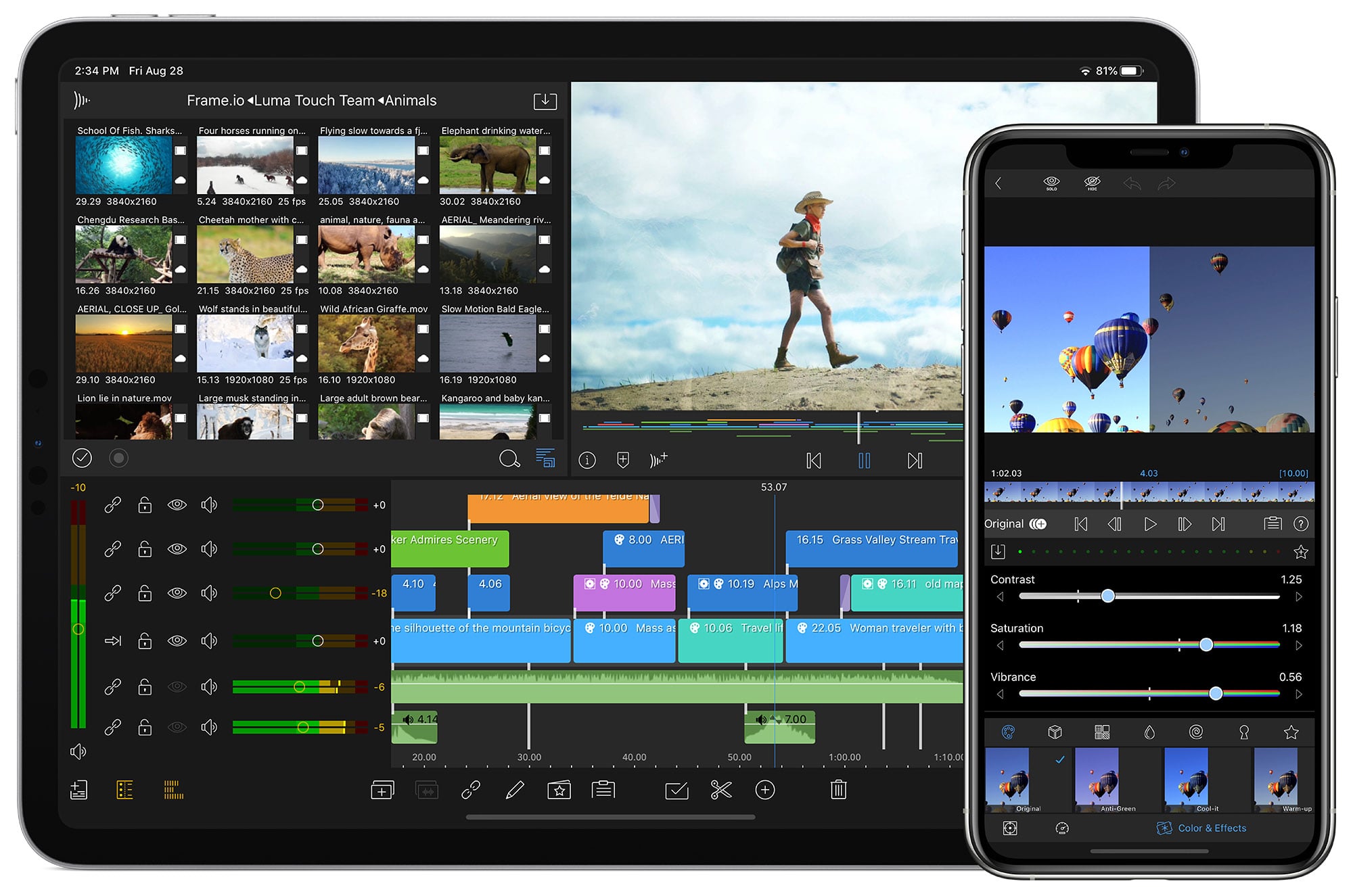
Best for: journalists, filmmakers and anyone editing longer videos on an iPad.
5. InShot
InShot is one of the friendliest editors for beginners: trim, split, add music, text, stickers and transitions, and resize for any social platform in a few taps. The free version adds a watermark and ads; InShot Pro removes them.
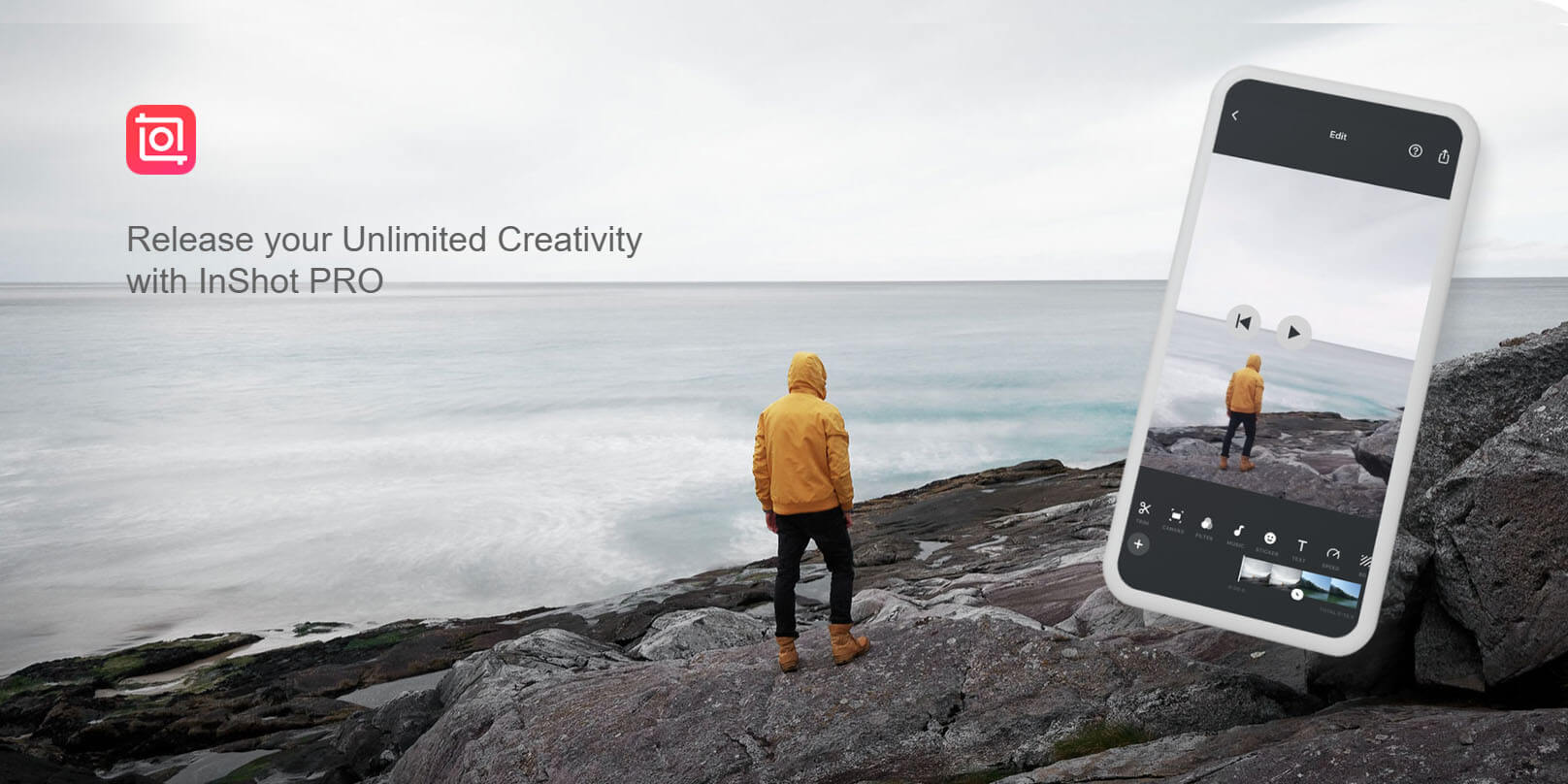
Best for: quick edits for Instagram, TikTok and WhatsApp.
6. iMovie
Apple’s free iMovie comes on iPhone, iPad and Mac. It is simple rather than powerful, with themes, titles, transitions and a Magic Movie option that assembles a first cut for you, and projects can move to a Mac to finish.
Best for: Apple users who want simple, free editing.
7. KineMaster
KineMaster offers layered editing with video, image, text and effect layers, chroma key and a large store of music, effects and templates. Free exports carry a watermark; a subscription removes it.
Best for: creators who like templates and plenty of assets.
8. PowerDirector
CyberLink’s PowerDirector brings a full timeline, video stabilisation, green screen, blending modes and AI effects to phones, with 4K export. The free version adds a watermark; a subscription removes it and unlocks stock media.
Best for: action-camera footage and effects-heavy edits.
9. Edits by Instagram
Edits is Instagram’s own free editing app, built around vertical video for Reels, with captions, effects, a teleprompter and planning tools. You need an Instagram account.
Best for: anyone whose videos live mainly on Instagram.
10. DaVinci Resolve for iPad
Blackmagic Design’s DaVinci Resolve, the professional editing and colour grading software, also runs on iPad. The free version covers editing and Resolve’s well-known colour tools; the paid Studio version adds more. It is iPad only and works best on recent, powerful models.
Best for: people who already grade in Resolve on a computer.
Also worth knowing
- Final Cut Pro for iPad: Apple’s professional editor on iPad, sold as a subscription, with multicam editing from iPhones running Final Cut Camera.
- YouTube Create: YouTube’s free editing app for Shorts and longer videos, available in selected countries.
- Filmora: Wondershare’s editor, formerly sold on mobile as FilmoraGo, aimed at quick, stylish edits.
How to choose a video editing app
| If you… | Choose | Why |
| Want a full editor for free | Adobe Premiere or VN | Multi-track timelines and exports without a watermark |
| Make TikToks, Reels and Shorts | CapCut or Edits | Templates, trends, captions and vertical-first tools |
| Are brand new to editing | InShot or iMovie | The gentlest learning curve |
| Edit long videos on an iPad | LumaFusion or DaVinci Resolve | Desktop-style tracks, audio and colour tools |
| Hate subscriptions | LumaFusion | Bought once, with optional extras |
| Want lots of effects and stock | KineMaster or PowerDirector | Large built-in asset stores |
- Check the watermark. Many free plans stamp exports. Export a test clip before you commit to an app.
- Check export quality. Make sure the free plan exports the resolution and frame rate you need.
- Check where your projects live. If you will finish on a computer, pick an app that can hand projects to a desktop editor.
- Read the terms. If you edit client or company footage, check what rights the app takes over uploaded content.
Phone or desktop: which should you edit on?
Phone apps are now good enough for most social videos, short promos and vlogs, especially when the footage was shot on the same phone. A computer is still better for long videos, many tracks, detailed colour and sound work, or files from several cameras. Many editors rough-cut on a phone and finish on a desktop; our pick of the best video editing software covers the desktop side.
Editing tips for short videos
- Hook in the first two seconds. Open on the most interesting moment, not a logo.
- Cut tight. Remove pauses, repeated takes and anything that doesn’t move the story on.
- Add captions. Many people watch with the sound off, and captions keep them watching.
- Edit for the platform. 9:16 for Reels, TikTok and Shorts; 16:9 for YouTube and websites; keep key action in the centre.
- Fix the sound. Clear audio matters more than perfect pictures. Use the app’s noise reduction and keep music under speech.
- Keep it short. Our guide to 30-second videos shows how much fits into half a minute.
Here is a 30-second animated film from our own work. Notice how quickly it gets to the point and how each shot carries one idea:
What happened to the apps on our earlier list?
- Adobe Premiere Rush was removed from the app stores on 30 September 2025 and replaced by the free Premiere app for iPhone, which later came to Android.
- FilmoraGo now goes by Wondershare’s Filmora brand.
- LumaFusion is no longer iOS only: it also runs on Android and ChromeOS.
- CyberLink ActionDirector has been dropped from this list; CyberLink’s PowerDirector covers the same ground.
When to use a studio instead of an app
Editing apps are ideal for social clips and quick updates. When a video has to explain your product on your homepage, in a launch or in front of buyers, a professionally scripted and animated film is worth the investment. That is where explainer video production and animated marketing videos come in. This 30-second film for Kemper is the kind of short we make:
For more DIY tools, see our lists of animation apps and GIF maker apps, or browse our portfolio.
FAQ
What is the best free video editing app?
Adobe Premiere and VN are the best free all-rounders. Both have multi-track timelines and export without a watermark. CapCut is the best free choice for short-form social video, and iMovie is the simplest free option on iPhone.
What is the best video editing app for iPhone?
Adobe Premiere for most people, LumaFusion for professional work. iMovie is the simplest free option, and CapCut is the fastest for TikTok and Reels.
What is the best video editing app for Android?
Adobe Premiere, CapCut and VN are the strongest choices. LumaFusion, KineMaster and PowerDirector also run on Android if you want more pro tools or a big effects library.
Which video editing app has no watermark?
Adobe Premiere, VN, iMovie and Edits export without a watermark on their free versions. InShot, KineMaster and PowerDirector add a watermark unless you pay. Free-plan terms change, so test an export first.
What happened to Adobe Premiere Rush?
Adobe removed it from the app stores on 30 September 2025. It was replaced by the free Premiere app for iPhone, which has since come to Android.
Is CapCut free?
Yes, with a paid Pro plan. The free version covers most editing; Pro unlocks premium templates, effects and AI tools. Some premium effects add a watermark on the free plan.
Can you edit professional videos on a phone?
Yes, for many jobs. LumaFusion, Adobe Premiere and DaVinci Resolve for iPad handle multi-track edits, colour and audio. Long or complex projects are still easier on a computer.
What is the easiest video editing app for beginners?
InShot or iMovie. Both let you trim, add music and text, and export in a few taps, with very little to learn.
What is the best app for editing YouTube videos?
LumaFusion or Adobe Premiere for long videos, CapCut or YouTube Create for Shorts. For longer, more polished YouTube videos, many creators finish on desktop software.
Can Animation Explainers edit or make videos for my business?
We make animated explainer and marketing videos. Every project includes the script, storyboard, voiceover and animation, so you get a finished film rather than raw footage to edit.

What is the best free video editing app?
Adobe Premiere and VN are the best free all-rounders. Both have multi-track timelines and export without a watermark. CapCut is the best free choice for short-form social video, and iMovie is the simplest free option on iPhone.
What is the best video editing app for iPhone?
Adobe Premiere for most people, LumaFusion for professional work. iMovie is the simplest free option, and CapCut is the fastest for TikTok and Reels.
What is the best video editing app for Android?
Adobe Premiere, CapCut and VN are the strongest choices. LumaFusion, KineMaster and PowerDirector also run on Android if you want more pro tools or a big effects library.
Which video editing app has no watermark?
Adobe Premiere, VN, iMovie and Edits export without a watermark on their free versions. InShot, KineMaster and PowerDirector add a watermark unless you pay. Free-plan terms change, so test an export first.
What happened to Adobe Premiere Rush?
Adobe removed it from the app stores on 30 September 2025. It was replaced by the free Premiere app for iPhone, which has since come to Android.
Is CapCut free?
Yes, with a paid Pro plan. The free version covers most editing; Pro unlocks premium templates, effects and AI tools. Some premium effects add a watermark on the free plan.
Can you edit professional videos on a phone?
Yes, for many jobs. LumaFusion, Adobe Premiere and DaVinci Resolve for iPad handle multi-track edits, colour and audio. Long or complex projects are still easier on a computer.
What is the easiest video editing app for beginners?
InShot or iMovie. Both let you trim, add music and text, and export in a few taps, with very little to learn.
What is the best app for editing YouTube videos?
LumaFusion or Adobe Premiere for long videos, CapCut or YouTube Create for Shorts. For longer, more polished YouTube videos, many creators finish on desktop software.
Can Animation Explainers edit or make videos for my business?
We make animated explainer and marketing videos. Every project includes the script, storyboard, voiceover and animation, so you get a finished film rather than raw footage to edit.