

7 Best GIF Maker Apps and Software for Phone, Web and Desktop
The best GIF maker apps are Ezgif for quick edits in a browser, GIPHY for making and sharing GIFs, Canva and Adobe Express for branded animated graphics, ImgPlay for making GIFs on your phone, GIMP for frame-by-frame control on a desktop and ScreenToGif for screen-recording GIFs on Windows. All seven can be used for free, though some add watermarks or keep extra features for paid plans.
Below we compare the seven side by side, explain what a GIF actually is, show how to make one from a video, list the settings that keep file sizes down, and cover when a GIF is the right format for a brand and when a short video works better.
GIF maker apps compared
| Tool | Platform | Free? | Best for |
| Ezgif | Web browser | Yes, free with ads | Converting, trimming, resizing and compressing GIFs |
| GIPHY | Web, iPhone, Android | Yes | Making GIFs from videos and sharing them on GIPHY |
| Canva | Web, desktop, iPhone, Android | Free plan; paid plans add features | Branded animated graphics downloaded as GIFs |
| Adobe Express | Web, iPhone, Android | Free plan; Premium adds features | Animated designs, plus a free video-to-GIF converter |
| ImgPlay | iPhone, Android | Free with in-app purchases | Turning phone videos, Live Photos and bursts into GIFs |
| GIMP | Windows, macOS, Linux | Yes, free and open source | Frame-by-frame GIFs built from layers |
| ScreenToGif | Windows | Yes, free and open source | Recording your screen as a GIF for tutorials |
Free plans and features change often, so check each app’s own listing before you rely on a feature.
The 7 best GIF maker apps and tools
1. Ezgif
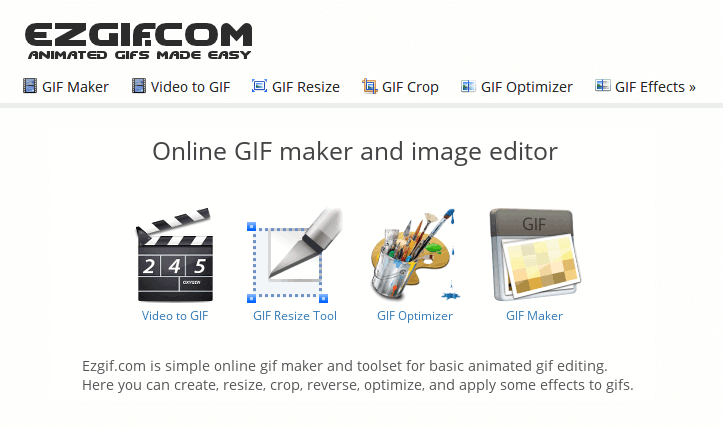
Ezgif is a free, browser-based toolkit for GIFs. Upload video files or images and it turns them into a GIF, then lets you crop, resize, reverse, change the speed, add text and, most usefully, optimise the file to make it smaller. Nothing to install, and it works on any computer.
Best for: quick conversions and shrinking GIFs that are too big to send or upload.
2. GIPHY
GIPHY is the best-known GIF library, and its GIF Maker lets you create GIFs from a video file, a YouTube or other video link, or a set of images. You can trim the clip, add captions and stickers, then upload it to GIPHY or download it. Our step-by-step guide to making a GIF from a video walks through GIPHY in detail.
Best for: making and sharing GIFs, and getting branded GIFs into the libraries people search on social apps.
3. Canva
Canva lets you animate text and elements in a design and download it as a GIF. Because it works from templates and brand kits, it is the easiest way to make GIFs that match your fonts and colours, such as an animated email header or a looping social post.
Best for: marketing teams who already design in Canva.
4. Adobe Express
Adobe Express animates text and graphics in designs and exports them as video. Adobe also offers a free online video-to-GIF converter, so you can turn an animated design or a short clip into a GIF in two steps. Our comparison of text animation apps covers Express’s animation presets.
Best for: branded animated graphics and quick video-to-GIF conversions.
5. ImgPlay
ImgPlay is a dedicated GIF maker for phones. It turns videos, photos, bursts and Live Photos into GIFs, with tools to trim, change the speed and direction, crop, add text and apply filters. The free version adds a watermark; in-app purchases remove it and unlock extra features.
Best for: making GIFs from clips you have just filmed on your phone.
6. GIMP
GIMP is a free, open-source image editor for Windows, macOS and Linux. Each layer becomes one frame of the animation, so you can build a GIF frame by frame, set how long each frame shows and optimise it before exporting as an animated GIF. It takes longer to learn than the other tools, but gives you full control.
Best for: designers who want to draw or assemble every frame themselves.
7. ScreenToGif
ScreenToGif is a free, open-source Windows app that records part of your screen, your webcam or a sketchboard and saves the result as a GIF. Its built-in editor lets you delete frames, add captions and highlight clicks, which makes it ideal for short software tutorials and bug reports.
Best for: showing a few steps in software without making a full video.
Also worth knowing
- Adobe Photoshop: builds GIFs from layers on its Timeline and exports them with fine control over colours and dithering.
- GIPHY Capture: a free Mac app for recording a section of your screen as a GIF.
- Kapwing: a browser video editor that can export short clips as GIFs.
- Apple Shortcuts: the Make GIF shortcut in the Shortcuts app turns photos or a video on an iPhone into a GIF without another app.
What is a GIF?
A GIF, short for Graphics Interchange Format, is an image file format introduced by CompuServe in 1987, created by a team led by Steve Wilhite. A GIF can hold several frames that play one after another, which is why the word now usually means a short, silent, looping animation.
- Animation: the 1989 version of the format, GIF89a, added frame delays, and Netscape Navigator 2.0 added the looping that made animated GIFs popular on the web in the 1990s.
- Colours: each frame can use at most 256 colours, which is why photos and gradients can look grainy or banded.
- Compression: GIF compression is lossless, but animated GIFs are still large files compared with modern video.
- Transparency: one colour can be set as transparent, giving hard edges rather than soft ones.
- Pronunciation: Wilhite said it was pronounced “jif”, though “gif” with a hard g is just as common.
Short, loopable animation is the heart of a good GIF. This 16-second film from our own work shows how much a few seconds of focused animation can say:
How to make a GIF from a video in 5 steps
- Pick a short moment. Two to six seconds is plenty. Choose a clip with one clear action.
- Upload it to a GIF maker. Ezgif’s video-to-GIF tool or GIPHY’s GIF Maker both accept common video files; ImgPlay works with videos on your phone.
- Trim, crop and resize. Cut to the exact moment, crop to the action and reduce the width to what you need.
- Add text if it helps. A short caption makes a GIF understandable on its own. Keep it to a few words.
- Optimise and export. Lower the frame rate or number of colours, or use lossy compression, until the file is small enough, then download it.
For more detail, including making GIFs from screen recordings and in Photoshop, see our guide to making a GIF from a video.
GIF settings that keep file sizes small
Big GIFs load slowly and some platforms reject them. These starting points keep most GIFs light without looking poor:
| Setting | Starting point | Why it matters |
| Length | 2 to 6 seconds | Every extra frame adds to the file size |
| Width | 480 to 800 pixels for most uses | Halving the width roughly quarters the pixels per frame |
| Frame rate | 10 to 15 frames per second | Smooth enough for most loops with far fewer frames than video |
| Colours | Reduce from 256 where you can | Fewer colours compress better, especially for flat graphics |
| Compression | Use the optimise or lossy option in your GIF maker | Can cut file size sharply with little visible change |
GIF vs MP4, WebP and APNG
GIF is the most widely supported animated image format, but it is not always the best choice:
| Format | Strengths | Limits | Use it for |
| GIF | Plays almost everywhere, including most email apps; loops automatically | 256 colours per frame, large files, no sound | Email, chat, simple loops |
| MP4 video | Full colour, sound, much smaller files for the same clip | Needs a video player; looping must be set up | Websites, social media, anything over a few seconds |
| Animated WebP | Full colour and soft transparency in smaller files than GIF | Not supported in every email app | Websites |
| APNG | Full colour and soft transparency | Larger files than WebP; patchy email support | Stickers and web graphics needing transparency |
How brands can use GIFs
- Email. An animated header or a looping product shot draws the eye in an inbox, where video usually can’t play.
- Product features. A three-second loop of a feature in action explains it faster than a paragraph.
- Tutorials and help pages. A screen-recorded GIF of each step is easier to follow than screenshots.
- Social replies and stickers. Branded GIFs and stickers in GIPHY’s library can be found and shared from the GIF search in many social apps.
- Social posts. Short loops work well in feeds, especially alongside animated social videos.
Keep accessibility in mind. The W3C’s accessibility guidelines say that moving content that starts automatically and lasts more than five seconds should have a way to pause, stop or hide it, and that nothing should flash more than three times a second. Short loops, no strobing and alt text that describes the GIF keep it usable for everyone.
When to use animation instead of a GIF
GIFs are perfect for a quick loop. When you need sound, a story, a voiceover or more than a few seconds, a short animated video does the job better, and it can still be cut into GIF-sized loops for email and social. That is where animated marketing videos and kinetic typography come in. Here is a short teaser we made for Kemper:
Want a short animated film you can also use as GIFs? See our portfolio or contact us.
FAQ
What is the best free GIF maker?
Ezgif is the best free all-rounder in a browser. It converts video to GIF, trims, resizes and compresses with no sign-up. GIPHY is best if you also want to share GIFs, and GIMP is the best free desktop option for frame-by-frame control.
What is the best GIF maker app for iPhone and Android?
ImgPlay is a strong dedicated GIF app for phones. GIPHY, Canva and Adobe Express also have mobile apps, and on iPhone the Make GIF shortcut in Apple Shortcuts can turn photos or a video into a GIF.
How do I make a GIF from a video?
Upload a short clip to a GIF maker such as Ezgif or GIPHY. Trim it to a few seconds, crop and resize it, add a caption if it helps, then optimise and download the GIF.
How do I make a GIF smaller?
Shorten it, reduce the width, lower the frame rate and reduce the colours. Most GIF makers, including Ezgif, also have an optimise or lossy compression option that cuts file size with little visible change.
What does GIF stand for?
Graphics Interchange Format. It was introduced by CompuServe in 1987. The 1989 GIF89a version added the features used for animated GIFs.
Is it pronounced GIF or JIF?
Both are widely used. The format’s creator, Steve Wilhite, said it was pronounced “jif”, but the hard “g” pronunciation is at least as common.
Why do GIFs look grainy?
Because each frame can only use 256 colours. Photos and gradients have far more colours than that, so they get reduced and dithered. Flat graphics and text look much cleaner as GIFs.
Is a GIF better than a video?
Only for short, silent loops. GIFs play almost everywhere, including email, but they are large files with limited colour and no sound. For anything longer than a few seconds, or with sound, MP4 video is better.
Can I use GIFs in marketing emails?
Yes. Most email apps play animated GIFs, though some show only the first frame, so make sure the first frame works on its own and keep the file small.
Can Animation Explainers make animated GIFs for my brand?
Yes. We make short animated films that can also be cut into looping GIFs for email, social and your website, all in your brand style.

What is the best free GIF maker?
Ezgif is the best free all-rounder in a browser. It converts video to GIF, trims, resizes and compresses with no sign-up. GIPHY is best if you also want to share GIFs, and GIMP is the best free desktop option for frame-by-frame control.
What is the best GIF maker app for iPhone and Android?
ImgPlay is a strong dedicated GIF app for phones. GIPHY, Canva and Adobe Express also have mobile apps, and on iPhone the Make GIF shortcut in Apple Shortcuts can turn photos or a video into a GIF.
How do I make a GIF from a video?
Upload a short clip to a GIF maker such as Ezgif or GIPHY. Trim it to a few seconds, crop and resize it, add a caption if it helps, then optimise and download the GIF.
How do I make a GIF smaller?
Shorten it, reduce the width, lower the frame rate and reduce the colours. Most GIF makers, including Ezgif, also have an optimise or lossy compression option that cuts file size with little visible change.
What does GIF stand for?
Graphics Interchange Format. It was introduced by CompuServe in 1987. The 1989 GIF89a version added the features used for animated GIFs.
Is it pronounced GIF or JIF?
Both are widely used. The format’s creator, Steve Wilhite, said it was pronounced “jif”, but the hard “g” pronunciation is at least as common.
Why do GIFs look grainy?
Because each frame can only use 256 colours. Photos and gradients have far more colours than that, so they get reduced and dithered. Flat graphics and text look much cleaner as GIFs.
Is a GIF better than a video?
Only for short, silent loops. GIFs play almost everywhere, including email, but they are large files with limited colour and no sound. For anything longer than a few seconds, or with sound, MP4 video is better.
Can I use GIFs in marketing emails?
Yes. Most email apps play animated GIFs, though some show only the first frame, so make sure the first frame works on its own and keep the file small.
Can Animation Explainers make animated GIFs for my brand?
Yes. We make short animated films that can also be cut into looping GIFs for email, social and your website, all in your brand style.